



How Web Sarathi gets a local business into Google’s top three

Google’s local ranking is hard to read and harder to keep up with. Web Sarathi reads it for you, turns it into ten minutes of work a day, and shows you the result on a map.

Web Sarathi is built by a team that has run social media and Google Business Profile marketing for Indian businesses for more than ten years, and it puts that agency playbook into software.

No credit card Expert setup on Google Meet, then your 7-day free trial

A sweet-shop owner behind his counter, checking his phone

Why the top three results decide so much

When somebody needs a salon, a physiotherapist or a restaurant, they open Google on their phone and type “salon near me” or “physiotherapist in Jaipur”. Before any website, Google shows a short list of three businesses with a map. Most calls, direction requests and walk-ins from that search go to those three.

The business in twentieth place is usually not worse at its job. It is worse at explaining itself to Google. And Google does not rank on review count alone — you will often see a business with fewer reviews sitting above one with many more, because its profile describes what it does for that search more completely.

Searches like these send business to the top three every day

  • best physiotherapist in jaipur
  • salon near me
  • neurosurgeon in jaipur
  • restaurants in pune
A couple in a parked car searching on a phone for a place nearby

What Google looks at, as we see it every day

There is no published rulebook for a keyword. These are the six things that, in our client work, move a profile up or hold it down.

  1. A complete profile

    Every field filled: categories, services, hours, attributes, description and real photographs. Gaps are the easiest ranking you will ever win back.

  2. Reviews that say something

    A steady flow of reviews that mention what you actually do. “Nice service” helps your rating; “best keratin treatment in Baner” helps your ranking.

  3. Replies to every review

    Prompt, specific replies show Google, and the next customer, that somebody is home — and they carry your services in your own words.

  1. Regular posts

    Google posts work like Facebook or Instagram posts, and most businesses never use them. Fresh, relevant posts keep the profile active.

  2. Consistent citations

    The same name, address and phone number everywhere you are listed — Facebook, Instagram, directories. Mismatches make Google less sure about you.

  3. A website that is alive

    The website on your profile should change as your business does. A site last touched six months ago sends the opposite signal.

What Web Sarathi does, from day one

Eight parts of one journey, from the audit on the day you connect your profile to the report at the end of each month.

A deep audit and a score out of 100

More than 50 checks and a score out of 100, so you know exactly what is missing.

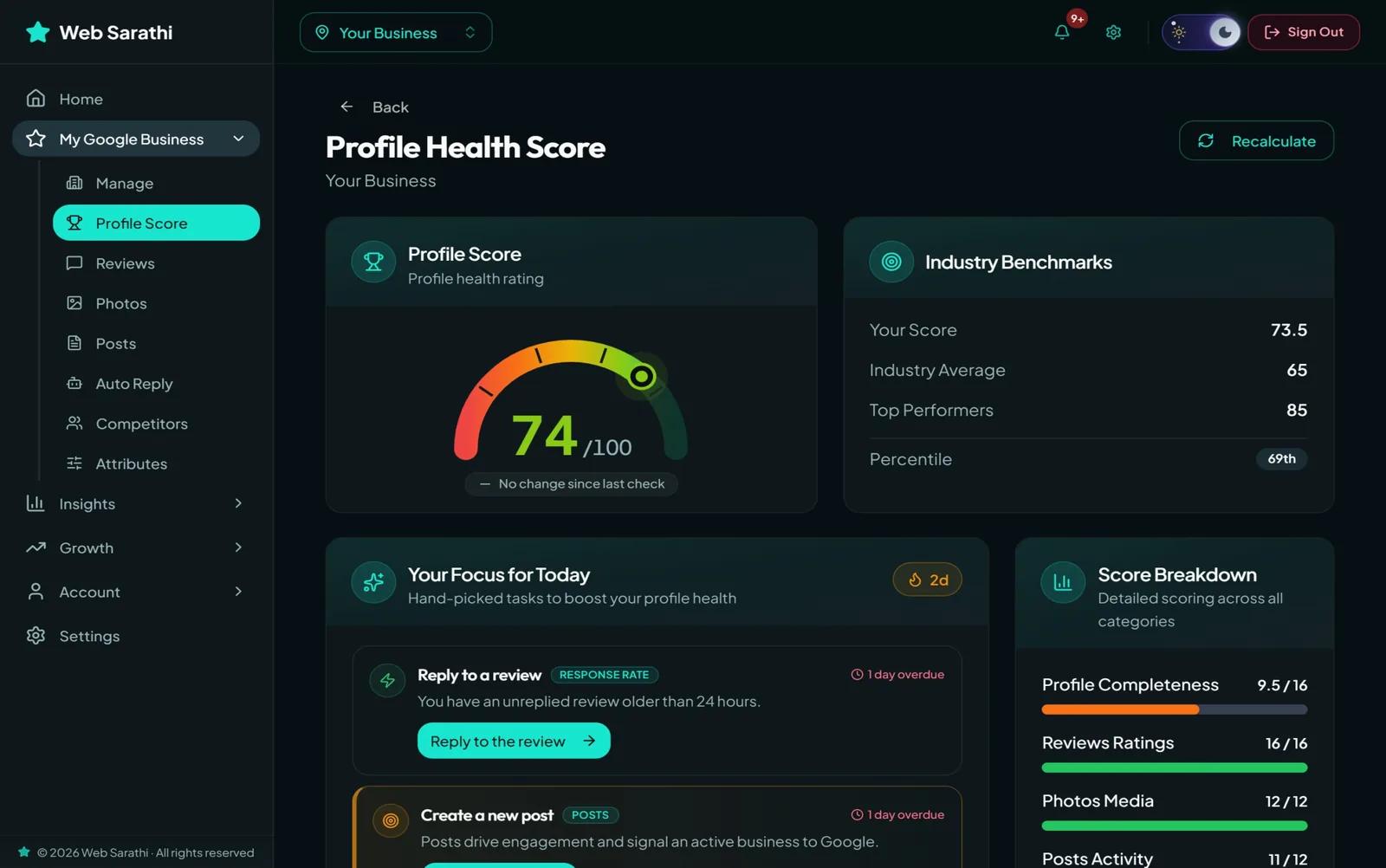
When you connect your profile, Web Sarathi scans it against more than 50 checks across the things Google ranks on: how complete the profile is, how many reviews arrive and how quickly, how fast you reply, how often you add photos and posts, how optimised the profile is, and how visible you are across your local area.

You get a single score out of 100 — think of it as your profile’s exam result — and a report of exactly where the marks were lost. On the same day we scan your goal keywords across a map grid, so there is a baseline to measure every later month against.

An owner and her manager going through a printed profile report
Profile health score dashboard with prioritised recommendations

Ten minutes a day, not a full day

A short list each day: the right amount of photos, posts, reviews and replies.

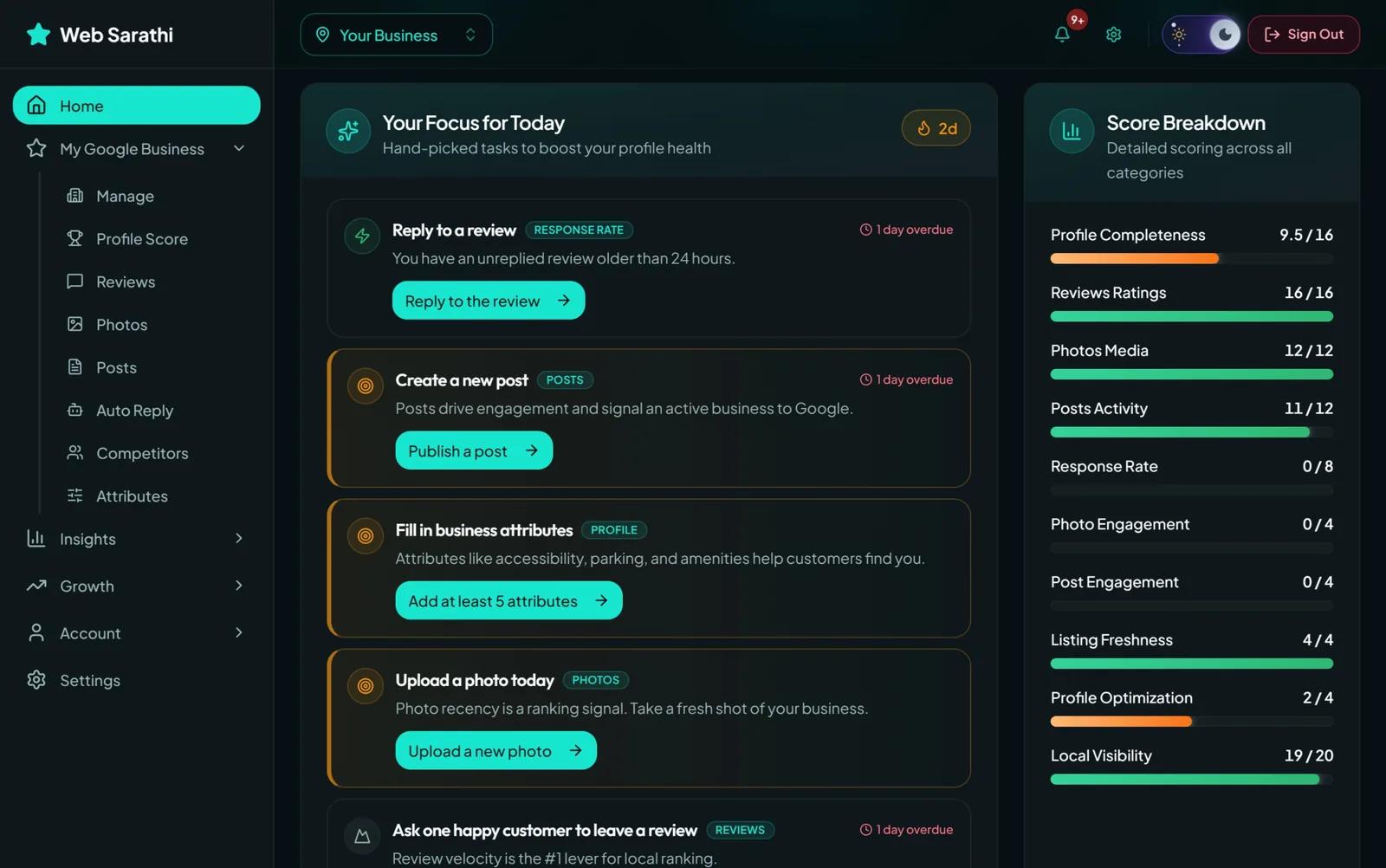
Google’s ranking system is hard to read from the outside. There are no published rules for a keyword, and the dashboard Google gives you does not tell you what to do next. Web Sarathi turns the audit into a short daily task list: first it gets your profile complete, then it gives you the regular work — a few photos, a post, the reviews to ask for, the replies to send.

The point is not doing more. It is doing the right amount, every day, because that continuity is what Google rewards.

Daily task list showing prioritised Google Business Profile actions

Today

Example
3 tasks · about 10 minutes2 of 10 min

A review in ten seconds instead of five minutes

A QR code at the counter. Customers pick a highlight and post it in about ten seconds.

Asking for a review is easy. Getting a useful one is not: the customer has to think of what to write, which takes minutes, and most settle for “nice service”, which does nothing for your ranking.

Web Sarathi gives you a QR code for the counter. The customer scans it and sees natural, human-sounding review highlights written around your actual services. They choose one, make it their own, and post it on your Google profile from their own account. The journey drops from about five minutes to about ten seconds, and the review mentions what you do.

A customer scanning a review QR code at a shop counter while the owner smiles

From asking to a posted review

Without Web Sarathi

  • Customer is asked, then has to think of what to write
  • Takes around five minutes, so many never finish
  • Usually “nice service” — no service or area mentioned

With Web Sarathi

  • Customer scans a QR code at the counter
  • Chooses a highlight and posts in about ten seconds
  • The review names the service they actually received

Replies that Google rewards, not punishes

One-click or automatic replies in the reviewer’s language, paced so nothing looks automated.

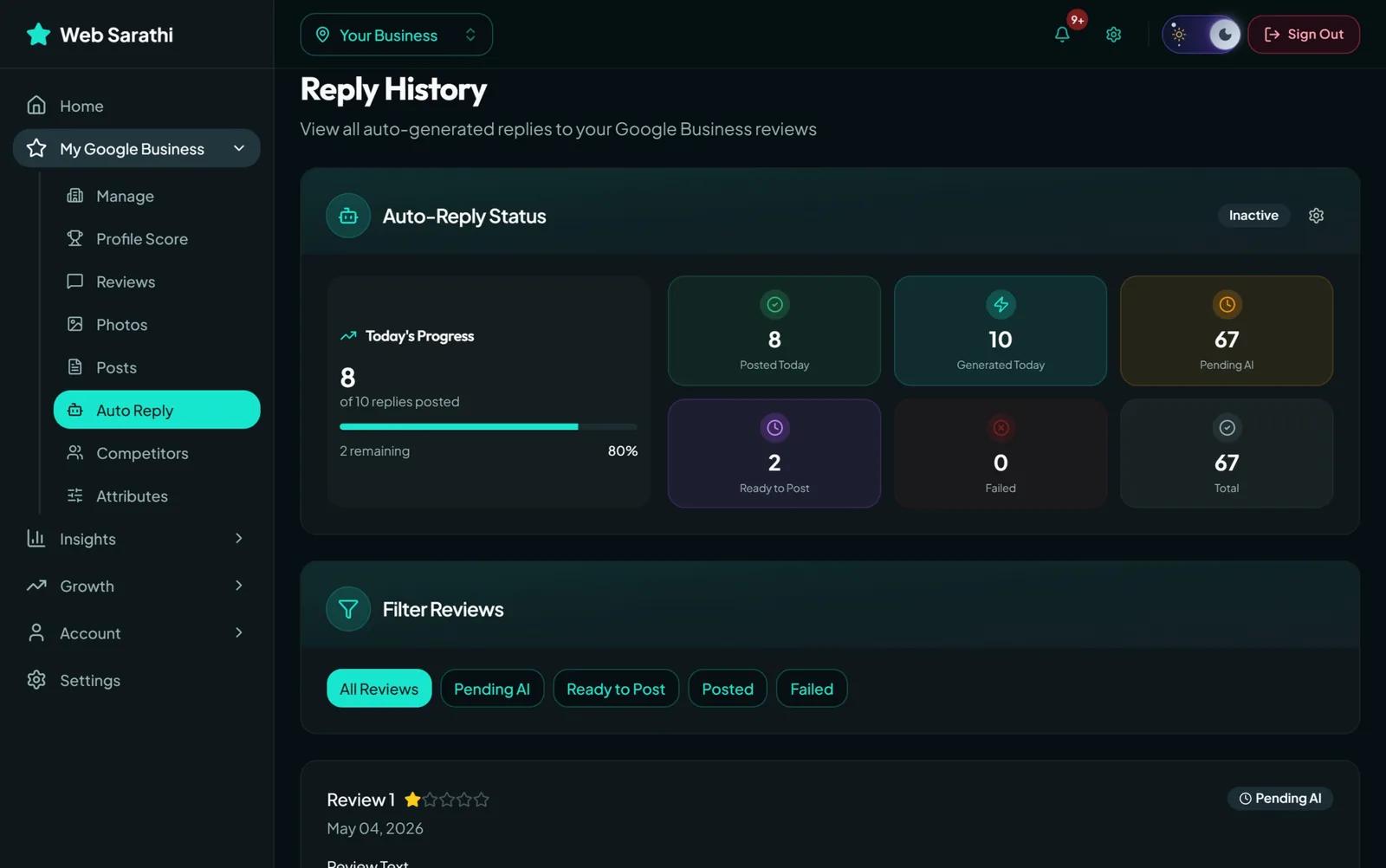
Every review should get a reply. Web Sarathi drafts one in a click, in the reviewer’s own language, or replies automatically for the star ratings you choose. You decide whether to address the reviewer by name, which hours replies go out in, and how many go out in a day.

Those limits exist on purpose. A burst of instant, identical replies is exactly the pattern that gets profiles filtered — what owners call a shadow ban. Many tools in the market do not think about that. We built the controls so the profile looks like what it is: a business that answers its customers.

Review reply screen with an AI-drafted response ready to edit and post

One post, everywhere — and a website that never goes stale

Captions for your real photos, on Google, Facebook and Instagram, and a website that updates every night.

Take a real photo of your work and Web Sarathi writes the caption: your services, your keywords and the areas you serve, written for Google. The same post can go to Facebook and Instagram with captions written for each — hashtags for Instagram, none for Google — and the messages and comments from Messenger and Instagram arrive in the same place.

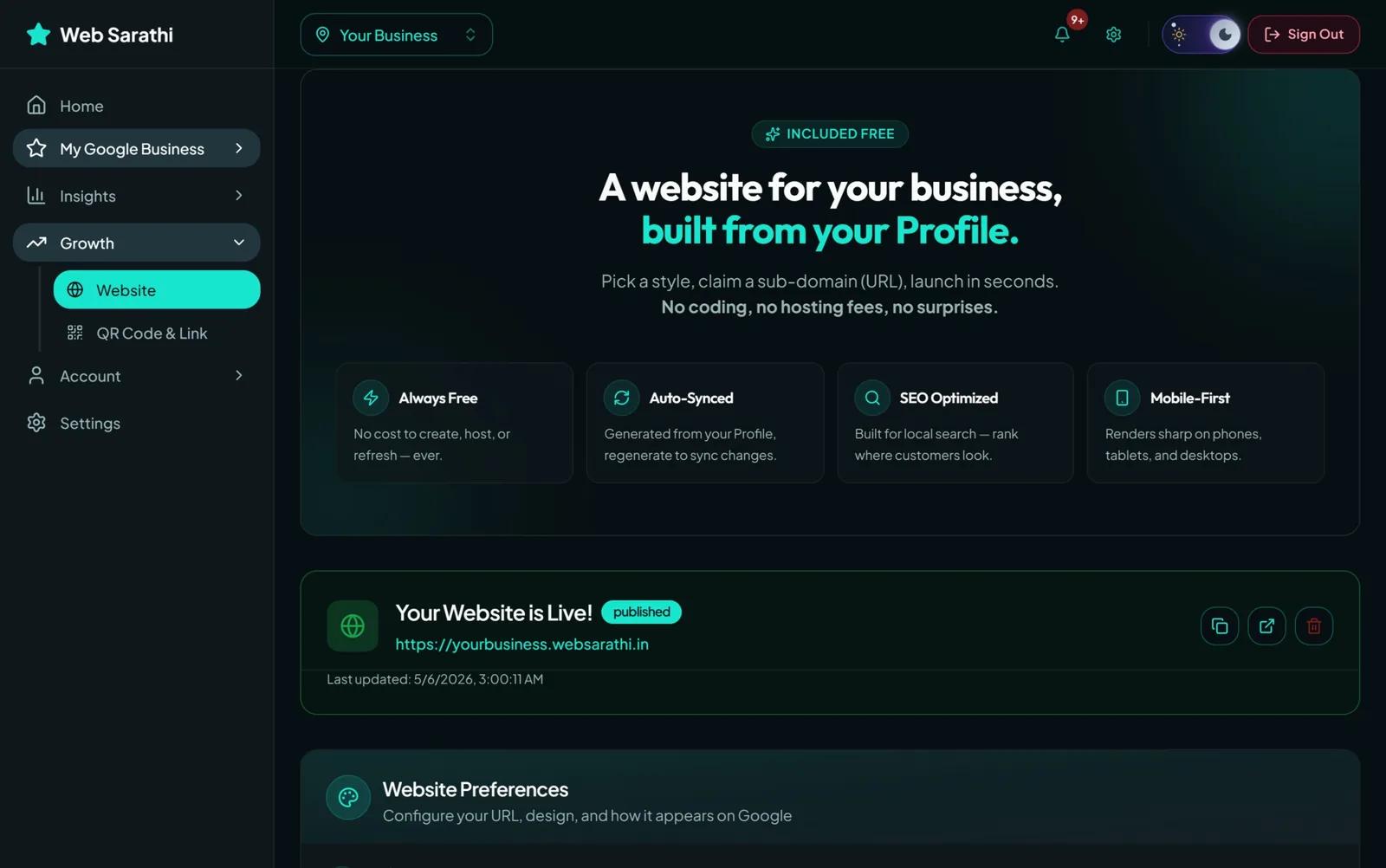
Web Sarathi also builds you an SEO-ready website. Every night it picks up what changed on your Google profile — new reviews, posts, photos, description — and updates the site. The website on your profile is no longer the one you built two years ago and forgot; it is visibly active, which is one more reason for Google to trust you.

AI website builder generating SEO pages for a local business
The fourth place: your website, rebuilt every night from your Google profile.

See your ranking street by street, not from your own counter

Your Google Maps position street by street, and the competitors Google shows instead.

The most common mistake we see: the owner searches their keyword from inside the shop, sees themselves at the top, and assumes the job is done. Google is showing them the nearest result. A customer one kilometre away, or five, may see somebody else entirely.

Web Sarathi draws a radius around your business, splits it into a grid — 3×3 up to 13×13 points — and checks your position for each keyword from every point, along with the competitors Google shows there. Scans run on a schedule and whenever you ask, and because day one is scanned too, you can compare the first map with this month’s and see exactly which areas you have won and which you have lost.

Example scan, Your area

Example

7×7 grid, 3 km radius, points about 1 km apart

Searched from inside the shop, you come first. A customer past the main road may see somebody else.

In the top three at 14 of 48 points

  • Top 3, the local pack14 points
  • Ranks 4 to 1014 points
  • Ranks 11 to 308 points
  • Ranks 31 to 1004 points
  • Not in the results8 points
  • Your business, at the centre of the scan

Illustration. A real Web Sarathi scan plots your actual Google Maps position at every point, with the businesses ranking above you.

When someone edits your profile, you hear about it

An alert when someone edits your profile. Optional auto-restore puts the saved details back.

Anyone can click “Suggest an edit” on your Google profile — a competitor, a stranger, a scammer — and propose a new phone number, a new website, or mark the business permanently closed. Google emails the owner. If nobody reads that email in time, Google may simply apply the change. Owners who see their number change overnight often think they were hacked; usually, an email went unread.

Web Sarathi watches for those changes and alerts you by email, in the app and on the web dashboard — and on WhatsApp where your plan includes WhatsApp alerts — asking whether to keep or reject the change. Switch on auto-restore and, if nobody answers within the waiting period you choose — it can be as short as one day — Web Sarathi puts back the last saved business name, phone number, website or address. Hours, category or a “closed” tag you reject from the alert itself. Your profile stays protected even when the owner and the manager are both busy.

When nobody is watching

  1. Someone suggests a change to your profile
  2. Google emails you, and the email goes unread
  3. Google applies the change

With Web Sarathi

  1. Web Sarathi alerts you by email, in the app and on the web
  2. With auto-restore on, no answer in time: the saved name, phone, website or address goes back

Your phone number was changed on Google

Suggested by a Google user

Saved
+91 98290 •••••
Now on Google
+91 70141 •••••

Auto-restore on · waits 3 daysExample

A report that shows the whole journey

Tasks done, keywords moved on the map, and the calls and visits your profile brought in.

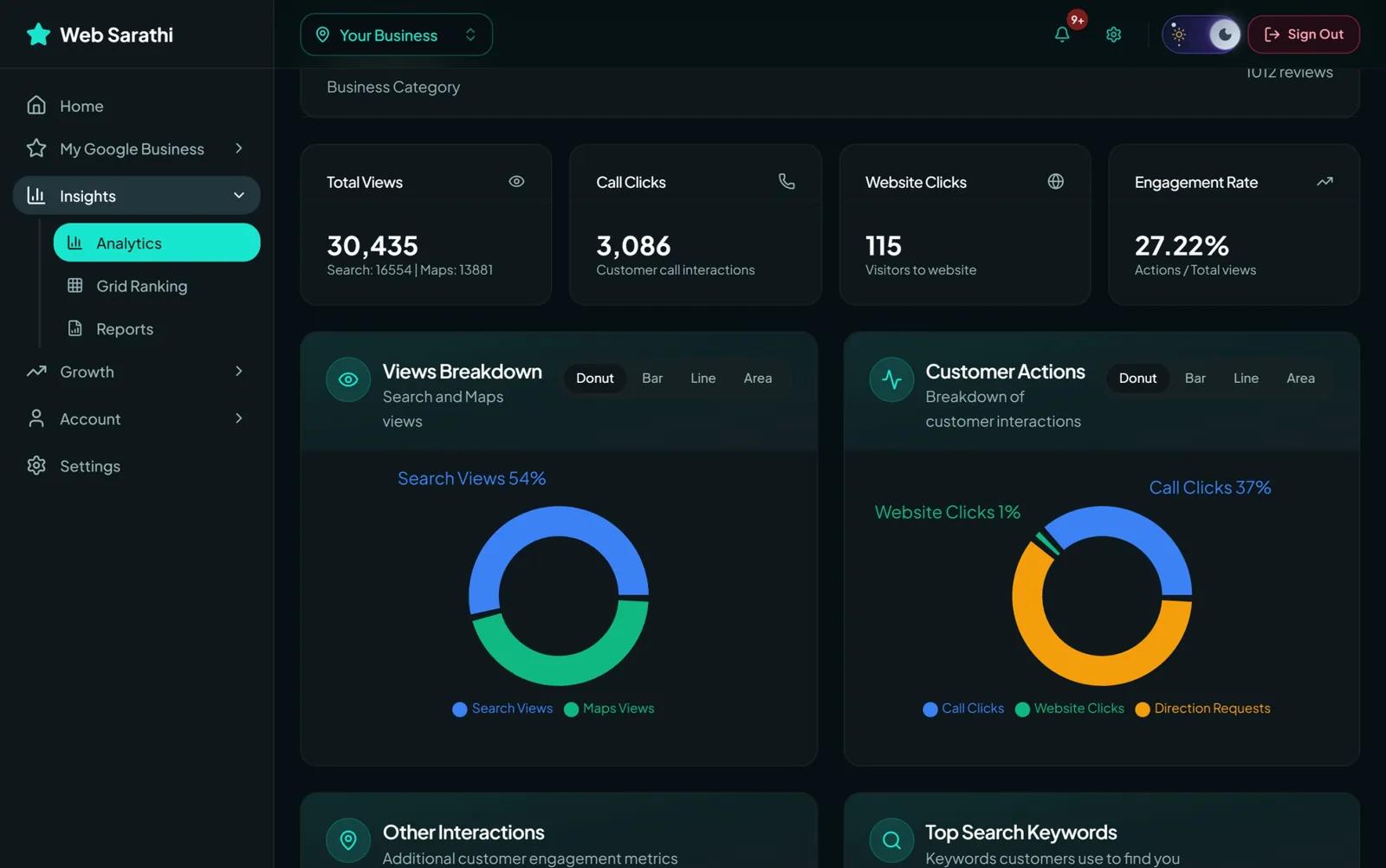
Google tells you calls, website clicks and profile views. Web Sarathi’s month-end report goes further: how many tasks were completed and how many expired, what that did to the profile, how your keywords moved across the map, and the calls, direction requests and website clicks your profile brought in — measured from the day you started.

We would rather you watch the results happen than take our word for them.

Reporting dashboard showing per-location performance
  • Tasks done, and tasks that expired
  • How each keyword moved across the map
  • Calls, direction requests and website clicks
  • All measured from the day you started

How we decided what the software should — and should not — do

Each rule came out of client work before it went into the software.

Steady beats a burst

Owners often ask whether they can upload twenty photos and collect every review in one day. Google reads that as unusual activity — spam — and the result can be a suspended or filtered profile. A little, every day, is what gets rewarded. Web Sarathi’s real job is telling you how much is enough and when to stop.

An owner photographing his own storefront with his phone

Real photos, not AI photos

Some tools offer AI-generated product and shop photos for your Google profile. Google wants to see your real business, and generated images work against you. We use AI where it saves you time — captions, replies, review highlights — and nowhere it would cost you trust.

One keyword, day one to month end

Example
Day oneMonth end
In the top three at 0 of 48 points

Results you can watch

Day-one scans, month-end rescans and a report built from both. You see the growth, and the areas that slipped, in the same map.

What an agency would charge for, in ten minutes a day

If a social media agency manages your Google Business Profile, expect to pay somewhere around ₹5,000 to ₹10,000 a month. Web Sarathi gives you the same work and the same guidance, built from more than ten years of running that agency playbook. What it asks from you is five to ten minutes a day.

See the plans
A shopkeeper pulling down his shutter at sunset after a steady day
A shop owner on a video call with a marketing consultant

Rather ask a person?

Our team answers on the support chat, and can walk you through your own profile.

Talk to an expert on WhatsApp (opens in a new tab)

Questions owners ask us

What is Web Sarathi?

Web Sarathi is Google Business Profile management software for Indian local businesses. It audits your profile, gives you a short daily task list, makes collecting and replying to reviews quick, writes your Google posts, builds a website that stays in sync with your profile, maps your ranking street by street, and alerts you when someone edits your profile.

What happens after I sign up?

You pick an onboarding slot in your account, on the date and at the time that suit you; there is no phone call needed to book it. At that time a Web Sarathi expert meets you on Google Meet to understand your business, your goals and the keywords your customers search, and our team sets up your Google profile and Web Sarathi around them: a new business description published to Google, your search and rank-map keywords, the competitors to watch, review highlights for your QR code, and your reply tone and languages. Then your account is switched on, and from then on the AI writes for your business, not from a template. Your 7-day free trial starts after onboarding, so anything still missing you finish in those seven days from a short daily list, free.

How much time does it take each day?

About five to ten minutes. The daily task list tells you the few things worth doing today — a photo, a post, the reviews to ask for, the replies to send — and nothing else.

Can I upload all my photos and get all my reviews in one day?

You can, but you should not. A sudden burst of photos, posts or reviews looks like spam to Google and can get a profile filtered or suspended. Steady, regular activity is what ranks, which is why Web Sarathi spreads the work into daily tasks.

Do more reviews always mean a higher ranking?

No. A business with fewer reviews often ranks above one with more, because its profile, reviews, replies and posts describe what it does for that search more clearly. Review count matters; what the reviews and the rest of the profile say matters as much.

Why does Web Sarathi not create AI photos for my profile?

Because Google wants to see your real business. Generated product or shop photos work against the trust your profile needs. Web Sarathi uses AI for captions, replies and review highlights, and asks you for real photos.

My phone number changed on Google without my doing anything. What happened?

Most likely somebody used “Suggest an edit” on your profile and the email Google sent you went unread, so the change was applied. Web Sarathi’s profile protection alerts you as soon as a change happens and, with auto-restore switched on, puts back the saved name, phone number, website or address if nobody responds within the waiting period you set.

Does ranking on Google Maps help me appear in AI answers?

Often, yes. AI answers to local searches frequently suggest the businesses already in the top three, because they draw on the same signals: the profile, the reviews and the website. It is not the only factor, but it is an important one.

How do I know it is working?

Your keywords are scanned across a map grid on day one and again later, so you can compare the two maps and see which areas you gained. The month-end report adds the tasks you completed, how your keywords moved and how many people found your profile.

Guides for your industry

What the same work looks like in your trade, and in your city.

Be one of the three businesses Google shows first.

Start with a free audit of your Google profile: where you rank on a map around your business, the competitors Google shows above you, and what your profile is missing, so you know exactly what to fix first. Then sign up, pick an onboarding slot, and our experts set your profile up with you on Google Meet. After that, about ten minutes a day.

No credit card Expert setup on Google Meet, then your 7-day free trial

See all plans